BatteryChat Editorial Team | Last Updated: March 2026
If you’ve noticed that your phone barely makes it through the afternoon when it used to last all day, or your car battery struggles on cold mornings despite being only three years old, you’re witnessing battery degradation. Understanding what causes it — and what actually slows it down — lets you make smarter decisions that can extend battery life by years.
What Is Battery Degradation?
Battery degradation is the gradual loss of a battery’s ability to store and deliver its rated capacity. It’s measured as a percentage of original capacity: a battery at 80% health stores and delivers 80% of what it did when new. Most manufacturers define “end of useful life” as when a battery falls below 80% of its original capacity.
Degradation isn’t a single event — it’s the cumulative result of physical and chemical changes inside the battery cell over hundreds or thousands of charge cycles and years of calendar aging.
Key Degradation Rates: Real Numbers
- Smartphone Li-ion: ~20% capacity loss after 500 full charge cycles (typical iPhone/Android battery)
- EV Li-ion (NMC): ~12–15% capacity loss after 100,000 miles of typical use
- EV LFP: ~5–8% capacity loss after 100,000 miles — significantly more durable
- NiMH rechargeable AA: Minimal degradation per cycle; Panasonic Eneloop retains ~80% capacity after 2,100 cycles
- Car lead-acid battery: Lifespan measured in years (3–5), accelerated by heat and deep discharge
The Main Causes of Battery Degradation
1. Heat (The #1 Enemy)
Heat is the single most damaging factor for lithium-ion batteries. Every 15°F (8°C) increase above optimal operating temperature (~70°F/21°C) approximately doubles the rate of chemical degradation. Heat accelerates a process called SEI (solid-electrolyte interphase) layer growth — a resistive film that forms on the anode and reduces both capacity and charge acceptance over time.
Practical implications: Don’t charge your phone while it’s in a hot car. Don’t leave electronics in direct sunlight. If your phone case traps heat during charging, remove it. For car batteries in hot climates, AGM batteries are significantly more heat-resistant than flooded lead-acid.
2. Depth of Discharge
How deeply you discharge a battery between charges significantly affects how many total cycles you get. A lithium-ion battery discharged to 20% (an 80% depth of discharge) degrades faster than one kept between 20–80%. The cells experience more mechanical stress from expansion and contraction when cycled through a wider range.
This is why EVs like Tesla don’t allow full 0–100% charging in daily mode — they protect the bottom and top of the charge range from users. Keeping your phone or laptop between 20–80% charge for daily use (reserving full charges for trips) meaningfully extends its calendar life.
3. High Charge and Discharge Rates
Fast charging generates heat and creates higher current flow through the cell, both of which accelerate degradation. Most phone fast-charging standards (30W, 65W, even 120W) are calibrated to be safe at normal ambient temperatures, but sustained use of maximum fast charging in a hot environment compounds the damage. For daily use, slower charging overnight from a standard 5–18W charger is gentler on battery health than maximum-speed fast charging every day.
4. Calendar Aging
Even batteries that are rarely used degrade over time through calendar aging — spontaneous chemical reactions that occur simply as time passes, regardless of cycling. Storing a battery fully charged (100%) or completely depleted accelerates this. The optimal storage charge for long-term battery health is 40–60% in a cool environment.
5. Deep Discharge (Lead-Acid and NiMH)
For lead-acid batteries (car, boat, UPS systems), deep discharge below 50% state of charge accelerates sulfation — the formation of lead sulfate crystals on the battery plates that permanently reduce capacity and cranking power. Car batteries are starting batteries not designed for repeated deep cycling; they should stay above 80% charge. Deep-cycle lead-acid batteries are designed for repeated discharge to 50%, but not below.
How to Slow Battery Degradation
See the EV degradation guide for vehicle packs and LiFePO4 versus other lithium-ion chemistries for chemistry-related differences.
For Smartphone and Laptop Batteries
- Enable “Optimized Battery Charging” (iOS) or “Adaptive Charging” (Android/Windows) — these learn your schedule and slow the final charging phase to reduce time at 100%
- Use a charger matched to your device’s capabilities — don’t default to maximum fast charge for every session
- Keep your device cool — remove cases during charging if they trap heat
- Avoid leaving devices plugged in at 100% for extended periods (overnight every night)
- If storing long-term, charge to ~50% before storing
For Car and Deep-Cycle Batteries
- Keep terminals clean and tight — corrosion increases internal resistance and worsens charging efficiency
- In hot climates, consider AGM batteries — they degrade significantly slower in heat than flooded lead-acid
- If the vehicle sits unused for weeks, use a battery maintainer/tender (CTEK Genius 1 or Battery Tender Plus)
- Avoid short trips that don’t fully recharge the battery after starting
For Rechargeable AA/AAA Batteries
- Use a quality smart charger that stops when full and charges each cell individually
- Store at 40–60% charge, not fully depleted
- Avoid leaving batteries in the charger indefinitely after reaching full charge (“trickle charging” on cheap chargers can overcharge)
How to Check Your Battery Health
iPhone
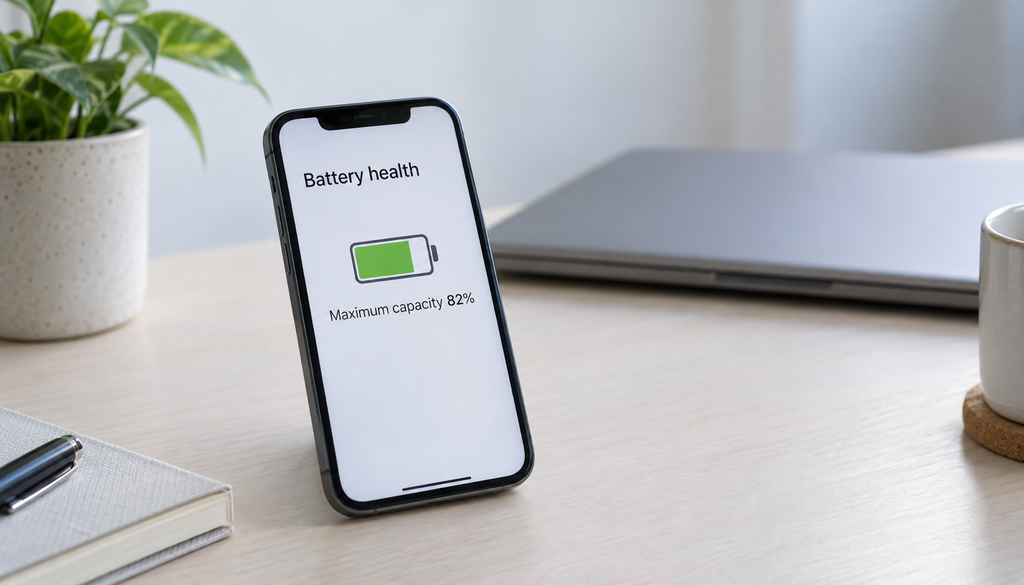
Settings > Battery > Battery Health & Charging. Shows capacity as a percentage of original. Below 80%: Apple recommends battery service.
Android
Samsung: Settings > Battery and Device Care > Battery > Battery Health. Other Android: use the free app AccuBattery which measures actual charge accepted vs. rated capacity over multiple cycles.
MacBook
Hold Option and click the Battery icon in the menu bar. Or System Settings > Battery > Battery Health.
Car Battery
Any AutoZone, O’Reilly Auto Parts, or Advance Auto Parts will load-test your battery for free. A load test reveals true cold cranking capacity, which is more diagnostic than a simple voltage reading.
Frequently Asked Questions
How much battery degradation is normal?
Losing 1–2% capacity per year is typical for well-maintained lithium-ion batteries used normally. Phones losing 20% capacity over 2–3 years of daily use is within normal range. Losing 30%+ within 1–2 years indicates aggressive usage patterns (chronic heat exposure, constant fast charging, or heavy discharge cycles).
Can battery degradation be reversed?
No. Physical and chemical degradation is permanent. Some degradation mechanisms (mild sulfation in lead-acid batteries) can be partially reversed with desulfation chargers, but the effect is modest. For lithium-ion, once capacity is lost, it cannot be recovered. Prevention is far more effective than remediation.
Should I always charge to 100%?
For daily use, no. Keeping lithium-ion batteries between 20–80% for everyday use reduces degradation vs. regular full 0–100% cycles. Many phones now have a “charge limit” option (typically 80% or 85%) for this reason. For long trips or situations where you need maximum range, full charging is fine — just don’t make it the daily habit.
Does fast charging damage batteries?
Occasional fast charging is fine — manufacturers design batteries to handle it. Using maximum fast charge every day for years in high-ambient temperatures will accelerate degradation compared to slower daily charging. The incremental degradation from fast charging is real but modest when the device is at normal temperature; the main risk is the heat generated in combined fast-charging + hot environment scenarios.